
(Mar 2024) – Admin: Which Existing SAS Install Details
As SAS administrators sometimes we need to know which particular SAS depot was used for an install. Following are steps to discover the files that resulted from an installation to obtain the said information. The example is for an install on a Linux Red Hat installation and is good for a Windows environment as well.
For this information, knowing and having access to the installer ID is key.
Steps
Navigate to
/home/sas/.SASAppData/SASDeploymentWizard/

less sdwpreferences.txt
Note that this file contains SAS depot used, plan file location as well as last SAS SID (Lic. file) used.
You may also look at the appropriate SDW/* file to cross reference the information. To do that, navigate to:
cd /home/sas/.SASAppData/SASDeploymentWizard/

# You may need to sort and chose the appropriate SDW file
ls -lrt | grep -i "sdw"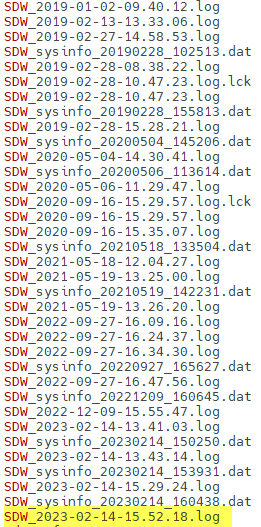
In our example we chose the latest log which will have the command used as -startuplocation /depot/used (see below) in the file we chose
less SDW_2023-02-14-15.52.18.log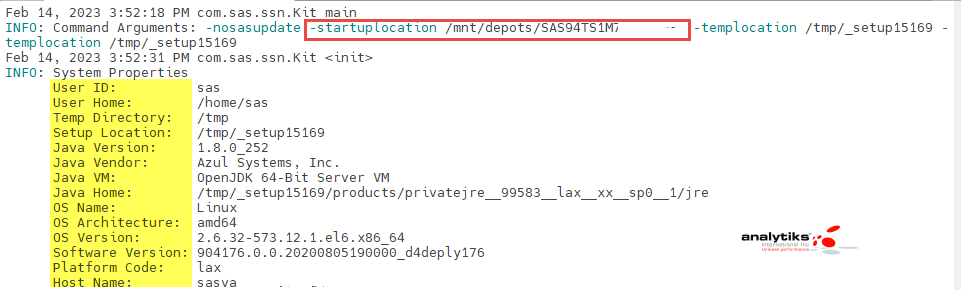
The log file is rather long and has various types of information, however the very beginning portion contains many relevant and detailed information re. the install.